# Bud.js Gutenberg Style Register Does Not Inject CSS Class
**URL:** https://discourse.roots.io/t/bud-js-gutenberg-style-register-does-not-inject-css-class/26704
**Category:** bud
**Tags:** bud, tailwind, lando, gutenberg, sage10
**Created:** 2024-02-12T18:14:08Z
**Posts:** 2
## Post 1 by @Jess1 — 2024-02-12T18:14:09Z
Greetings,
I’m following the documentation over at [Styles | bud.js](https://bud.js.org/extensions/bud-preset-wordpress/editor-integration/styles) to set up my Gutenberg block development.
I’ve successfully registered a block, and nominally registered related styles, but when I toggle to a style variant, the block does update with the style variant class name, e.g.:
```
// foo.block.js
export default {
name: `bud-project/foo-block`,
title: `Foo block`,
edit: () => Hello world!
,
save: () => Hello world!
}
```
```
// fooDefault.style.js
export default {
block: `bud-project/foo-block`,
name: `default`,
label: `Default`,
isDefault: true,
}
```
```
// fooCustom.style.js
export default {
block: `bud-project/foo-block`,
name: `variant`,
label: `Variant`,
isDefault: false,
}
```
Is there documentation which details completing the rest of this basic implementation step?
Here’s a screenshot if it’s helpful. The variant button can be clicked, but it seems to do nothing, including not adding the `is-style-variant` css class name
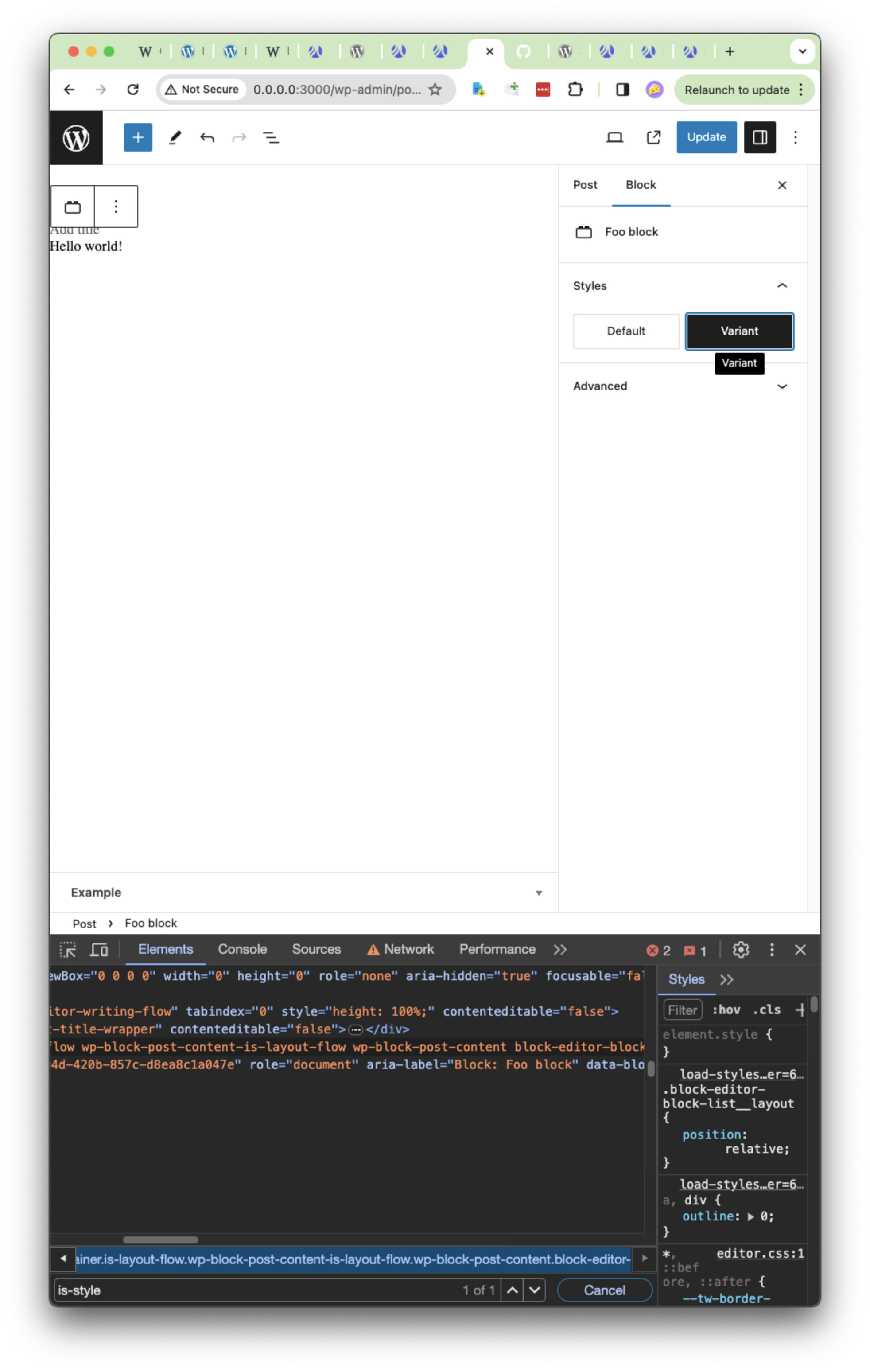
Thank you!
Jess
---
## Post 2 by @Jess1 — 2024-02-13T06:48:55Z
Looks like you have to pass in the props explicitly:
```
// foo.block.js
export default {
name: `bud-project/foo-block`,
title: `Foo block`,
edit: props => Hello world!
,
save: props => Hello world!
}
```