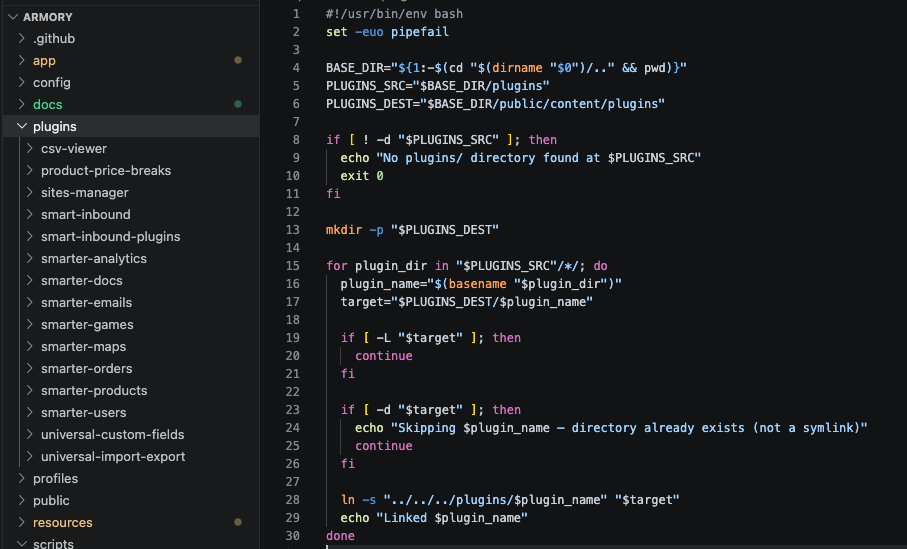
Hello! I have an entire fleet of custom plugins that ships with my app, which uses Radicle. They are all Git-ified and included in my mono-repo, as opposed to the others installed via composer repositories.
Because of this, I made a root/plugins/ directory where I store all of these plugins for easy access, just like how Radicle moved the root/resources/views up the chain from the Sage theme.
Then, part of my deployment process is a simple link-plugins.sh script (add to your Trellis hooks) that symlinks them all into the correct public/web/content/plugins directory, and then everything functions as it should inside WordPress.
Sharing that little script here in case this idea makes life easier for you. @ben we haven’t connected before, but this Radicle framework has been a game-changer for me. It might be another cool Radicle benefit to have custom plugins at root for easy access someday.
#!/usr/bin/env bash
set -euo pipefail

BASE_DIR="${1:-$(cd "$(dirname "$0")/.." && pwd)}"
PLUGINS_SRC="$BASE_DIR/plugins"
PLUGINS_DEST="$BASE_DIR/public/content/plugins"

if [ ! -d "$PLUGINS_SRC" ]; then
  echo "No plugins/ directory found at $PLUGINS_SRC"
  exit 0
fi

mkdir -p "$PLUGINS_DEST"

for plugin_dir in "$PLUGINS_SRC"/*/; do
  plugin_name="$(basename "$plugin_dir")"
  target="$PLUGINS_DEST/$plugin_name"

  if [ -L "$target" ]; then
    continue
  fi

  if [ -d "$target" ]; then
    echo "Skipping $plugin_name — directory already exists (not a symlink)"
    continue
  fi

  ln -s "../../../plugins/$plugin_name" "$target"
  echo "Linked $plugin_name"
done