Just reaching out for some advice as I’m moving from Sage 9 to 11 and not particularly familiar with Acorn etc.
In Sage 9 I my /config/environments/development.php file is…
use Roots\WPConfig\Config;

use function Env\env;

Config::define('SAVEQUERIES', true);
Config::define('WP_DEBUG', true);
Config::define('WP_DEBUG_DISPLAY', true);
Config::define('WP_DEBUG_LOG', '/Users/kevinpriceward/Sites/4x4tyres83/debug/debug.log');
Config::define('WP_DISABLE_FATAL_ERROR_HANDLER', true);
Config::define('SCRIPT_DEBUG', true);
Config::define('DISALLOW_INDEXING', true);

ini_set('display_errors', '1');

// Enable plugin and theme updates and installation from the admin
Config::define('DISALLOW_FILE_MODS', false);
Then when in some arbitary script I hit…
trigger_error('Log me' E_USER_WARNING);
I get a log engry in the debug.log file.
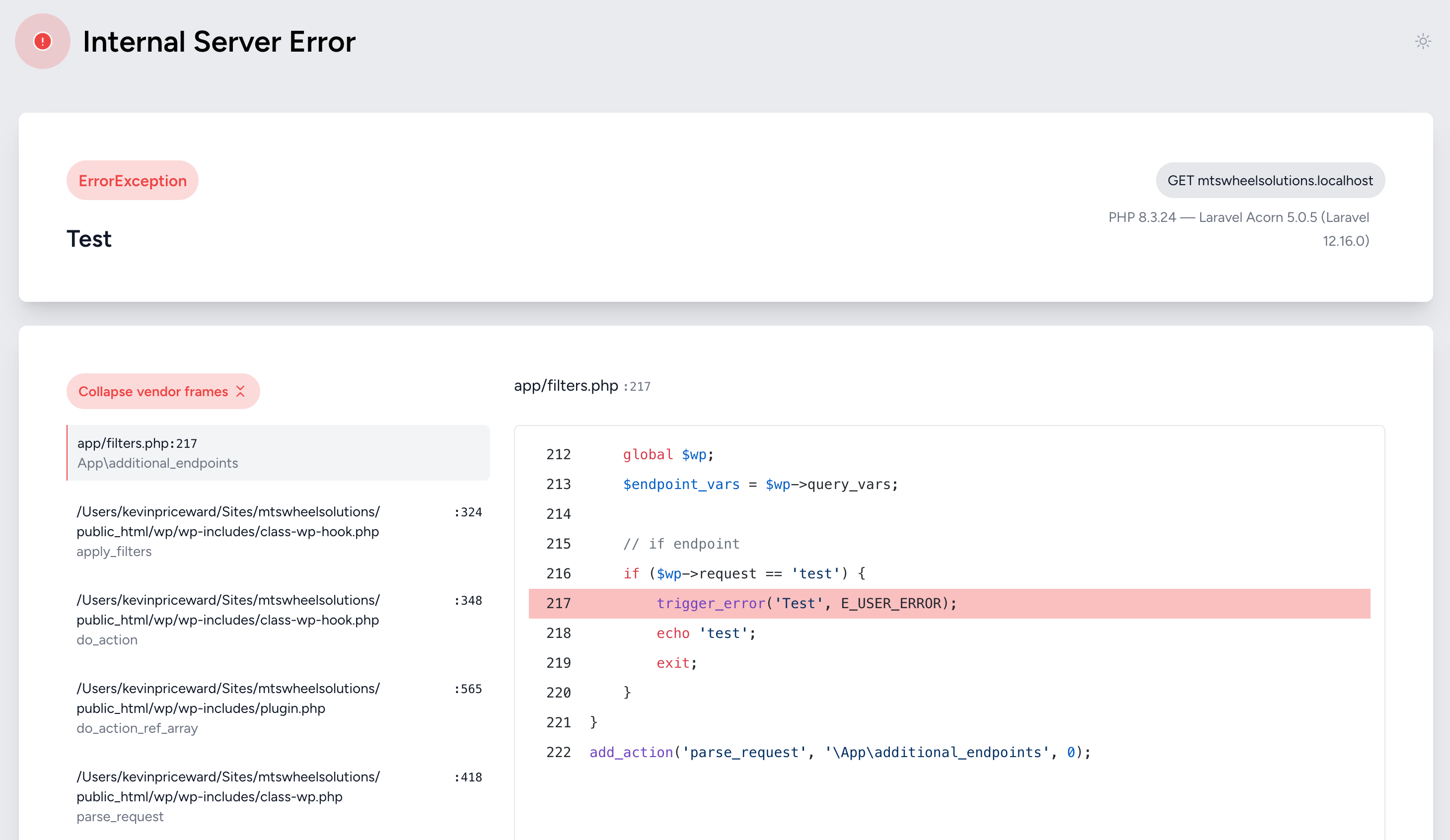
However now in Sage 11, with the same settings in my development.php file, I get an internal error. I’ve tested this by just creating a quick endpoint with this in filters.php
function additional_endpoints(){
    global $wp;
    $endpoint_vars = $wp->query_vars;

    // if endpoint
    if ($wp->request == 'test') {
        trigger_error('Test', E_USER_ERROR);
        echo 'test';
        exit;
    }
}
add_action('parse_request', '\App\additional_endpoints', 0);
And this results in:
What’s the best approach now in Sage 11?
Thanks in advance