Hi, I am getting a white screen only for the home page on this website and not sure what I need to do?
Can you.. uh… be more specific?
Can you post the code for the front page? I usually get this error if I’ve missed a @endif or something like that.
Are you getting any errors?
Are you running Trellis? Is WP debug enabled?
I have enabled wp debug and getting this error message:
Notice: Function _load_textdomain_just_in_time was called incorrectly. Translation loading for the acf domain was triggered too early. This is usually an indicator for some code in the plugin or theme running too early. Translations should be loaded at the init action or later. Please see Debugging in WordPress for more information. (This message was added in version 6.7.0.) in /home/nightingalejoine/public_html/wp-includes/functions.php on line 6121
I am not running Trellis.
This is the page source I am getting:
Notice: Function _load_textdomain_just_in_time was called incorrectly. Translation loading for the acf domain was triggered too early. This is usually an indicator for some code in the plugin or theme running too early. Translations should be loaded at the init action or later. Please see Debugging in WordPressfor more information. (This message was added in version 6.7.0.) in /home/nightingalejoine/public_html/wp-includes/functions.php on line 6121 |
6121:

trigger_error( $message, $error_level );
}
That just looks like a translation error, it shouldn’t cause a white screen.
Can you post the entire template for the front page?
this is from index.php
<?php echo \Roots\view(\Roots\app('sage.view'), \Roots\app('sage.data'))->render(); ?>You don’t have a Blade for the homepage?
Which template is it using if you look at the homepage in the WordPress admin?
Default
When I go to themes on file manager it is using Wraft
No I don’t have a blade
What’s Wraft?
How are you hosting this if not with Trellis?
If you remove everything from your front page, does it load?
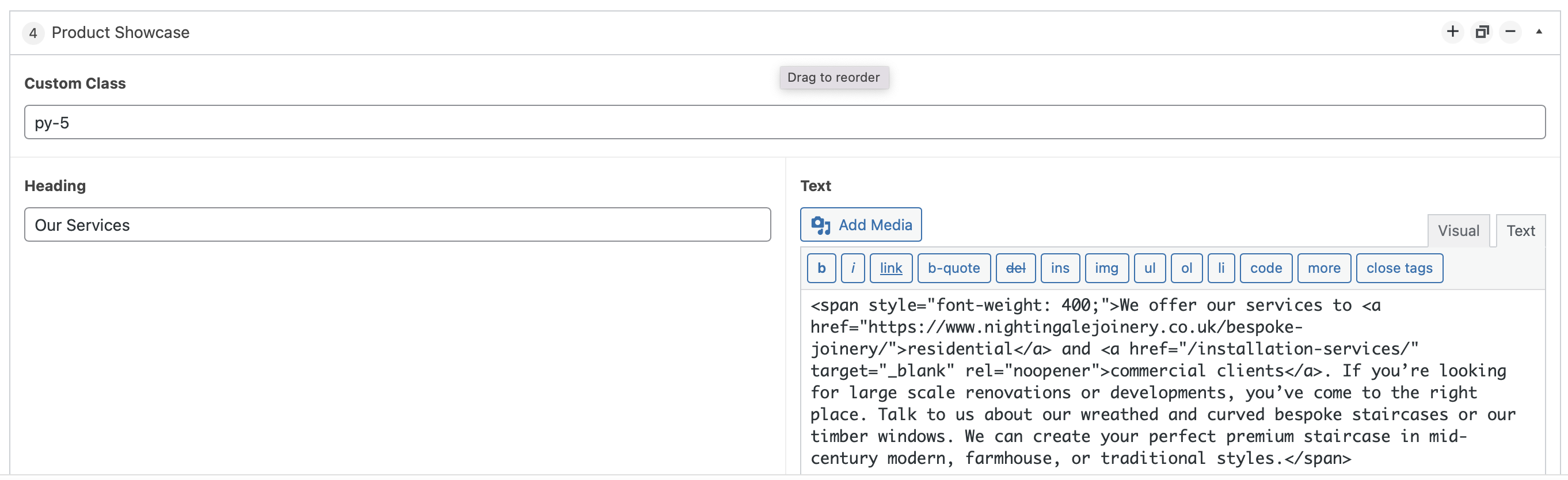
It does load when I remove product show case.
This is the duplication of the home page - Bespoke Joinery in Colchester | Bespoke Staircases Colchester
Shall I rebuild the home page?
Hi @inghariuc
Notice: Function _load_textdomain_just_in_time was called incorrectly.
This is a notice, not a fatal error. It won’t cause a white screen. You can safely ignore it for now.
Since you’ve isolated the issue to the product showcase, we know exactly where the issue is hiding. Rebuilding the whole homepage would be overkill, we just need to see what that error actually says.
Open your wp-config.php file and add these lines right above the /* That's all, stop editing! */ line:
define('WP_DEBUG', true);
define('WP_DEBUG_LOG', true);
define('WP_DEBUG_DISPLAY', false);`
Refresh your home page once, then check your /wp-content/ folder for a file named debug.log, copy and paste whatever’s in there here. That file will tell us exactly what’s broken. Once we see it we can fix it properly.
Optionally if you’re comfortable using the command line, run these two commands in your theme folder to make sure it’s not just a stale cache issue:
wp acorn view:clearwp acorn optimize:clear
If the command line stuff feels like a headache, don’t sweat it. Just get those log lines and we’ll go from there.
[16-Apr-2026 09:02:52 UTC] PHP Notice: Function _load_textdomain_just_in_time was called incorrectly. Translation loading for the acf domain was triggered too early. This is usually an indicator for some code in the plugin or theme running too early. Translations should be loaded at the init action or later. Please see Debugging in WordPress for more information. (This message was added in version 6.7.0.) in /home/nightingalejoine/public_html/wp-includes/functions.php on line 6121
[16-Apr-2026 09:02:52 UTC] PHP Notice: Function _load_textdomain_just_in_time was called incorrectly. Translation loading for the acf domain was triggered too early. This is usually an indicator for some code in the plugin or theme running too early. Translations should be loaded at the init action or later. Please see Debugging in WordPress for more information. (This message was added in version 6.7.0.) in /home/nightingalejoine/public_html/wp-includes/functions.php on line 6121
Is that all you have in debug.log? Just those two lines?
If so, can you also check this folder:
/wp-content/cache/acorn/logs/
Sage uses its own logging system and the actual error might be sitting in there instead.
there is no acorn folder
There must be an error log somewhere, but anyway the most common issue with ACF blocks in Sage is a Blade syntax error inside the block template, a single missing @endif, an unclosed {{ }}, or an undefined variable.
Let’s test this, go to:
resources/views/blocks/
Look for a .blade.php file that sounds like it’s related to the Product Showcase. Make a quick backup of the file first, just download it to your computer before touching anything.
Then temporarily replace all of its content with this:
<div style="padding: 20px; background: #e0f7fa;">
    <h3>It's working.</h3>
    <p>Block Loaded Successfully</p>
</div>
Then reload your homepage, if it loads, we know the issue is inside that template and we can dig into it properly.
Can’t find the blocks folder or a .blade.php file? That means the block might be registered a different way.
Also, and I know I mentioned this before but you didn’t get back to it, sometimes this kind of error simply disappears by just clearing sage’s cache. If you have SSH access and your host allows it, it’s worth trying:
wp acorn view:clear
wp acorn optimize:clear
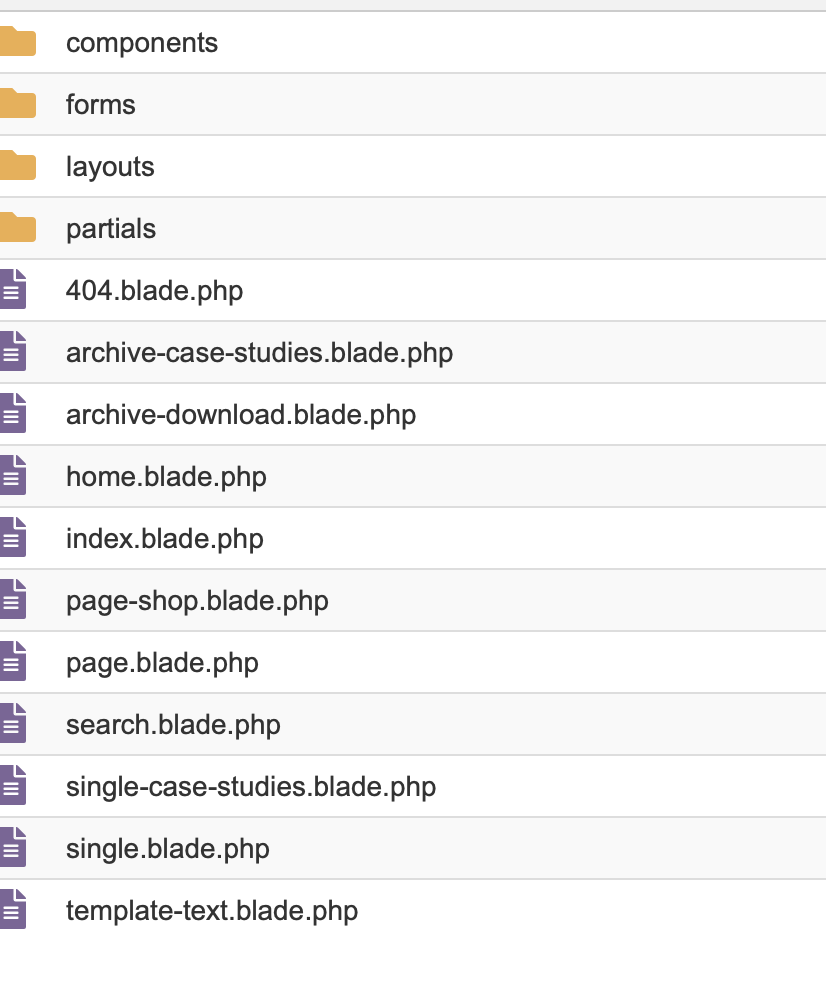
Presumably “home” is what’s being used by the front page. Can you paste its contents here?
@extends(‘layouts.app’)
@section(‘content’)
@include('partials.page-header')
@if (!have_posts())
{{ __('Sorry, no results were found.', 'sage') }}
{!! get_search_form(false) !!}
@endif
@php
$custom_query = new WP_Query(array('posts_per_page' => 4));
@endphp
{!! get_the_posts_navigation() !!}
  @while ($custom_query->have_posts()) @php $custom_query->the_post() @endphp
    <div class="w-1/2 py-1 px-1">
      <article class="relative flex items-end p-1 sm:p-1-5 xl:p-2" style="min-height: 480px;">
        <a href="{!! the_permalink() !!}" class="object-cover border-b-0 z-10" style="background: linear-gradient(to bottom, rgba(0,0,0,0), rgba(0,0,0,0.5));"></a>
        <img data-src="{!! get_the_post_thumbnail_url() !!}" src="{!! get_the_post_thumbnail_url(get_the_id(), 'lozad') !!}" alt="{!! the_title(); !!}" class="lozad object-cover" />
        <div class="relative flex justify-between items-end w-full z-20">
          <div class="sm:w-2/3 sm:pr-1">
            <p class="text-white text-xs mb-0-5">{!! the_date() !!}</p>
            <h3 class="text-white text-2xl mb-0">{!! get_the_title() !!}</h3>
          </div>
          <div class="sm:w-1/3 sm:text-right">
            <a href="{!! the_permalink() !!}" class="tracking-wide text-primary-light">READ MORE <i class="fas fa-arrow-right"></i></a>
          </div>
        </div>
      </article>
    </div>
  @endwhile

  @php
    wp_reset_postdata();
  @endphp
</div>
The Product Showcase is an ACF block and it’s been added directly through the WordPress editor on the homepage. And since the homepage works fine when the block is removed, we know for sure that’s our culprit, not the homepage.